Gear Review
Apple AirTag: The Billion-Device Surveillance Network in Your Luggage
One AirTag in every bag. Not because you lose things. Because airlines lose things. And now you know exactly where they are when they do.
February 13, 2026
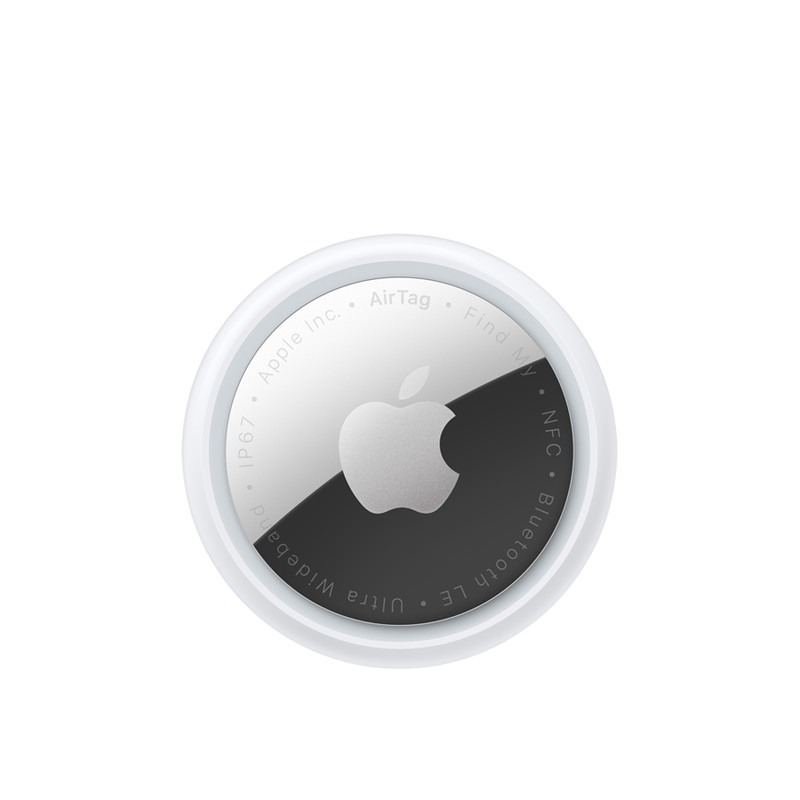
Delta mishandled 2.18 bags per thousand passengers in 2024. United: 3.26. American: 3.09. Multiply by the hundreds of millions of passengers per year and the numbers are staggering. Your checked bag goes missing not because the system is broken. It goes missing because the system was never designed for the volume it processes.
An Apple AirTag costs $20. It weighs 11 grams. It turns the entire question of lost luggage from “where is my bag” into “my bag is at gate B7 in Frankfurt and has not moved in four hours.”
This is not a gadget review. This is about deploying a sensor network that leverages a billion active Apple devices as unwitting tracking infrastructure.
How It Actually Works
The AirTag has no GPS. It has no cellular radio. It has no Wi‑Fi. It has a Bluetooth Low Energy transmitter and a U1 Ultra Wideband chip. That is it.
Every iPhone, iPad, and Mac in the world that has Find My enabled — over a billion devices — passively listens for AirTag Bluetooth signals. When any Apple device detects your AirTag, it silently, anonymously reports the AirTag’s location to Apple’s servers, encrypted end‑to‑end so that even Apple cannot read it. Only your Apple ID can decrypt the location.
This means your AirTag’s location resolution is directly proportional to the density of Apple devices in its vicinity. In an airport terminal — one of the densest concentrations of iPhones on Earth — your AirTag updates its position every few minutes. In a baggage handling facility, surrounded by airport employees with phones in their pockets, it updates constantly.
You are not paying for tracking hardware. You are paying $20 for access to a global mesh network that already exists.
The Deployment Protocol
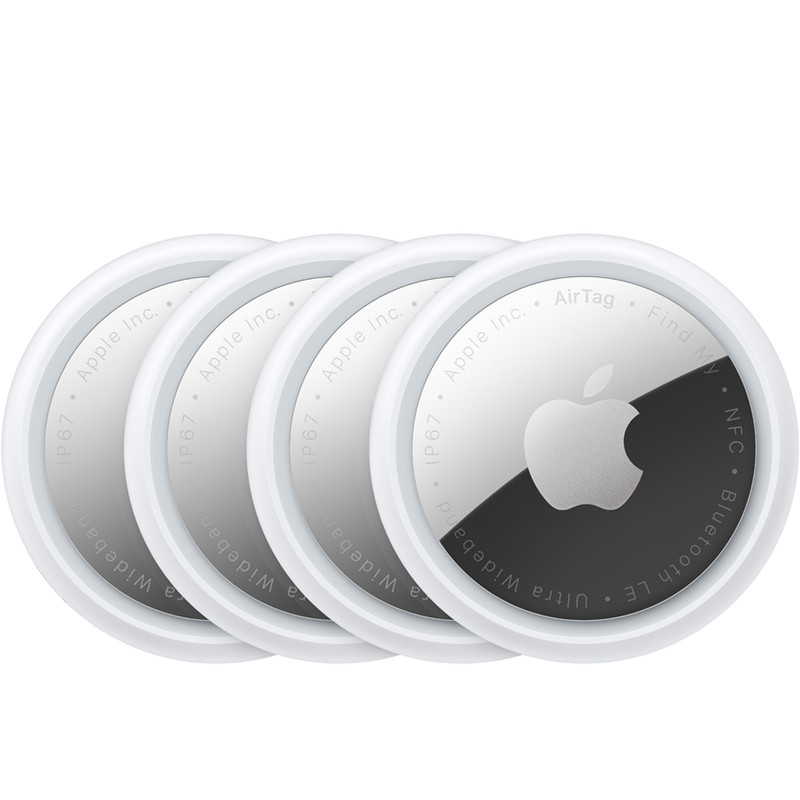
The optimal configuration for a frequent traveler is one AirTag per container:
- Checked bag: Inside a zippered pocket, not in the exterior luggage tag sleeve where it can be removed.
- Carry‑on backpack: Interior pocket.
- Personal item/briefcase: Interior pocket.
- Tech pouch or organizer: If it separates from your main bag, it gets its own tag.
A four‑pack covers the standard international travel loadout. At $80 for four, the cost is trivial. The CR2032 battery lasts approximately one year and costs under $3 to replace.
Register each AirTag in Find My with a descriptive name: “Checked Samsonite,” “Peak Design Backpack,” “Tech Pouch.” When you are standing at carousel 3 and your bag has not appeared, you open Find My and see exactly where it is. Not approximately. Exactly.
What Changed
Before AirTags, a lost bag triggered a claim at the airline counter. You filled out a form. You received a reference number. You waited. The airline’s internal tracking system — based on barcode scans at handling checkpoints — would show the last scan point. Between scan points, the bag was invisible. Recovery times of 24–72 hours were standard. Some bags never came back.
Now you file the claim and show the agent your phone. “My bag is in the cargo facility at terminal 2. It has been stationary for ninety minutes.” The agent can dispatch someone to look for it in a specific location instead of searching an entire facility. Recovery times have collapsed.
Airlines know this. Several carriers have publicly acknowledged that AirTags have improved their baggage recovery process. The tracking data passengers provide is often more granular than the airline’s own systems.
Precision Finding

When you are within Bluetooth range — roughly 30 feet — the U1 Ultra Wideband chip enables Precision Finding on iPhone 11 and later. Your phone displays a directional arrow and distance measurement that guides you to the AirTag with sub‑meter accuracy.
This transforms hotel room searches, conference center pickups, and airport carousel situations from “somewhere nearby” to “three feet to your left, behind the pillar.” UWB precision finding is the feature that elevates AirTags from useful to indispensable.
Lived Experience: How This Actually Feels
I use AirTags on every trip.
Every time I reach my gate, I already know if my checked bags made it to the plane. When the flight crew closes the door, I know whether my bags are on board with me or still sitting at the previous gate. On tight connections, a three‑second check in Find My tells me if my luggage is traveling with me or not.
If I can see that a bag missed a connection, I am not guessing. I can jump on the aircraft Wi‑Fi before we even push back and:
- Note exactly where the bag is showing up in the system.
- Look up the baggage office location at my destination.
- Pull the address of my hotel and any alternative delivery address.
- Identify local stores or delivery services for essentials that are not in my carry‑on.
By the time the wheels touch down, I already have a plan for what happens if the bag does not appear on the carousel. I know which counter I am walking to, what I am asking for, and where I want the airline to send the bag.
If privacy is a concern once you arrive — for example, you do not want a live tag constantly pinging in a sensitive location — you drop the AirTags into a SLNT Faraday pouch (or similar) and park them there until departure. That way you get all the operational benefit while you are in transit, and hard isolation when you are static.
There are also new sharing options: you can share an AirTag with a family member or assistant so they can monitor your bags in parallel, or, on some carriers, share an AirTag used for lost luggage so the airline can use that signal to locate your bag and expedite delivery. That turns the tag into a joint tool: you, your assistant, your family, and in some cases the airline are all working from the same real‑time location feed.
The Privacy Architecture
Apple designed AirTags with anti‑stalking protections that matter even in the travel context:
- Rotating Bluetooth identifiers. The AirTag changes its Bluetooth identifier regularly, preventing persistent tracking by third parties.
- Unknown AirTag alerts. If an AirTag that is not registered to you travels with you for an extended period, your iPhone alerts you. This is a safety feature, but it also means you cannot covertly track someone else’s luggage.
- End‑to‑end encryption. Location data is encrypted so that only the owner’s Apple ID can access it. Apple cannot see where your bags are.
- NFC tap identification. Anyone can tap an unknown AirTag with an NFC‑capable phone to see a partial owner phone number and determine if it has been marked as lost.
Limitations
Apple ecosystem dependency. The Find My mesh network is Apple‑only. If your AirTag is in a location with no nearby iPhones — rare in urban areas, possible in remote regions — it will not update. For most air travelers, the airports, hotels, and cities where you need tracking have saturated Apple device density.
No real‑time streaming. Location updates depend on nearby Apple devices detecting the AirTag. Updates arrive in bursts, not as a continuous GPS track. In high‑density environments like airports, updates are frequent. In low‑density environments, there can be gaps.
Android users. If your primary phone is Android, AirTags technically work via Apple’s Tracker Detect app, but the experience is degraded. You lose Precision Finding entirely. For Android, Samsung Galaxy SmartTags and the SmartThings network are the closest equivalent, though the mesh is smaller.
Water resistance, not waterproof. IP67 rated. Survives rain, splashes, and brief submersion. A full washing‑machine cycle is still the most common reason AirTags die.
The Math
A four‑pack of AirTags costs about $80. Battery replacement costs approximately $12 per year for all four. Total annual cost of operation: $92 in year one, $12 per year thereafter.
The average cost of a delayed bag — emergency clothing, toiletries, missed meetings because critical materials are in the bag, and the time you spend filing claims and chasing updates — easily exceeds $200 per incident. One prevented or rapidly resolved lost‑bag situation pays for years of AirTag deployment.
The Verdict
Apple AirTags are the highest return‑on‑investment travel purchase available. Not the most exciting. Not the most technically impressive. The most useful, per dollar, per gram, per year.
One in every bag. No exceptions. The next time an airline sends your checked luggage to the wrong continent, you will know exactly where it is, in near real time, down to the building.
That is not a feature. That is leverage.
Get the 72-Hour Emergency Kit Checklist
Free PDF download. No spam. Unsubscribe anytime.